How to Fix iPhone Overheating Problems Safely
If your phone feels unusually hot, you’re not alone. How to fix iPhone overheating problems safely is a common concern for many users, especially during heavy use, charging, or hot weather. iPhones are designed with safety systems, but overheating can still happen and may affect performance, battery health, and long-term device life.
The good news? Most iPhone overheating problems can be fixed safely at home without technical skills. This guide is written for beginners and everyday users. We’ll explain why overheating happens, how to cool your iPhone step by step, and how to prevent it from happening again.
Understanding iPhone Overheating Problems
Before learning how to fix iPhone overheating problems safely, it’s important to understand what “overheating” actually means.
An iPhone is considered overheating when:
- It feels very hot to touch
- The screen dims automatically
- You see a temperature warning message
- The phone becomes slow or unresponsive
Why iPhones Overheat
iPhones generate heat during normal operation. Problems happen when heat builds up faster than it can escape.
Common causes include:
- Running heavy apps or games
- Long video recording sessions
- Charging while using the phone
- Poor network signal
- High outdoor temperatures
- Software bugs or outdated iOS
- Damaged batteries or accessories
Signs Your iPhone Is Overheating
Recognizing the signs early helps you fix the issue safely.
Common Overheating Symptoms
- Screen suddenly becomes dim
- Apps lag or crash
- Camera stops working
- Charging pauses automatically
- Temperature warning appears
Real-world example:
Many users report their iPhone overheating while using Google Maps and charging in the car on a sunny day. This is a classic overheating scenario.
How to Fix iPhone Overheating Problems Safely (Step-by-Step)
1. Remove the iPhone Case Immediately
Thick or poorly ventilated cases trap heat.
Steps:
- Take off the case
- Place the iPhone on a flat surface
- Let it cool naturally for 10–15 minutes
Tip: Silicone and leather cases hold more heat than slim plastic cases.
2. Stop Using the iPhone Temporarily
Using the phone while it’s hot makes things worse.
What to do:
- Lock the screen
- Avoid gaming, streaming, or video calls
- Let the phone rest
Real-world example:
After stopping Instagram and TikTok for 15 minutes, many users notice the phone cooling down quickly.
3. Move to a Cooler Environment
Heat from the surroundings can cause overheating.
Safe actions:
- Move indoors
- Avoid direct sunlight
- Do not leave your phone in a car
Never put your iPhone in the fridge or freezer. Sudden temperature changes can damage internal components.
4. Turn On Airplane Mode

Poor signal forces your iPhone to work harder.
Steps:
- Swipe down to open Control Center
- Tap Airplane Mode
- Wait 5–10 minutes
This reduces CPU and network activity, allowing the phone to cool faster.
5. Close Background Apps
Apps running in the background consume power and generate heat.
Steps:
- Swipe up from the bottom (or double-click Home button)
- Close unused apps
- Keep only essential apps open
Focus especially on:
- Games
- Navigation apps
- Video streaming apps
Software Fixes for iPhone Overheating
6. Update iOS to the Latest Version
Software bugs can cause overheating.
Steps:
- Go to Settings
- Tap General
- Select Software Update
- Install the latest version
Real-world example:
Some users experienced overheating after an iOS update, which was later fixed by Apple in a follow-up patch.
7. Check Battery Usage
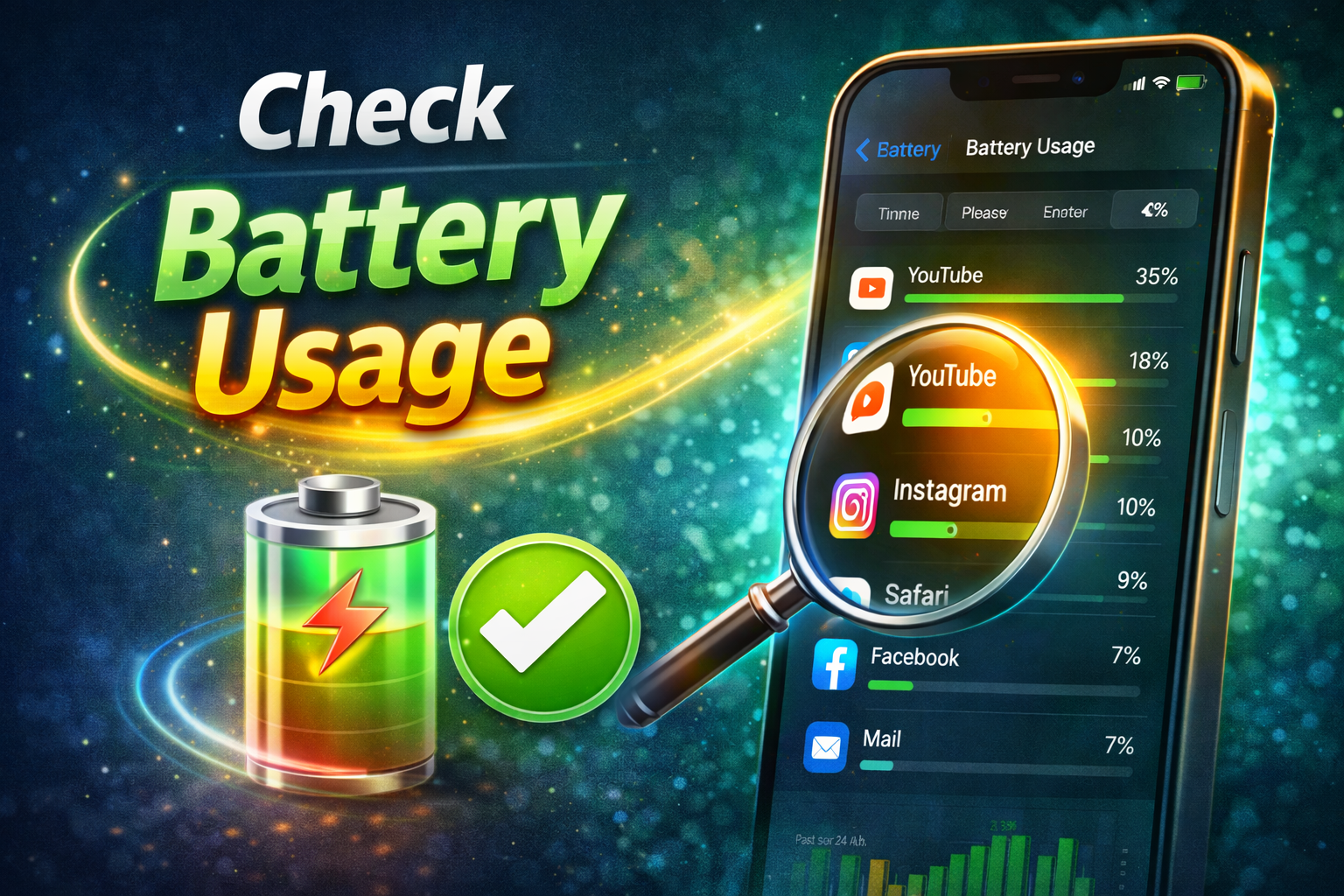
Certain apps may consume excessive power.
Steps:
- Open Settings
- Tap Battery
- Review battery usage by app
If an app uses too much power:
- Update it
- Limit background activity
- Delete and reinstall if necessary
8. Disable Background App Refresh
This feature keeps apps active even when not in use.
Steps:
- Go to Settings
- Tap General
- Select Background App Refresh
- Turn it off or limit to Wi-Fi only
Charging-Related Overheating Fixes
9. Use Original or Certified Chargers
Cheap chargers generate excess heat.
Safe charging tips:
- Use original or certified cables
- Avoid charging on soft surfaces like beds
- Don’t use the phone while charging
Real-world example:
Many overheating cases are linked to low-quality charging cables bought cheaply online.
10. Avoid Wireless Charging in Hot Conditions
Wireless charging creates more heat than wired charging.
If overheating happens:
- Switch to wired charging
- Charge in a cool room
- Remove the phone case before charging
Advanced but Safe Fixes

11. Reduce Screen Brightness
High brightness increases heat output.
Steps:
- Go to Settings
- Tap Display & Brightness
- Lower brightness
- Enable Auto-Brightness
12. Reset All Settings (Safe Option)
This won’t delete data but resets system settings.
Steps:
- Open Settings
- Tap General
- Select Transfer or Reset iPhone
- Choose Reset
- Tap Reset All Settings
This often fixes overheating caused by misconfigured settings.
When iPhone Overheating Is a Hardware Issue
Possible Hardware Causes
- Old or damaged battery
- Internal component damage
- Water exposure
- Using unofficial replacement parts
If overheating happens:
- When the phone is idle
- After cooling down repeatedly
- Even without apps running
Then professional repair is recommended.
How to Prevent iPhone Overheating in the Future
Daily Prevention Tips
- Avoid gaming while charging
- Keep iOS and apps updated
- Use certified accessories
- Don’t expose the phone to extreme heat
- Close unused apps regularly
Long-Term Battery Health Tips
- Avoid charging to 100% all the time
- Don’t let battery drop to 0% often
- Keep battery level between 20%–80% when possible
FAQ: iPhone Overheating Problems
1. Is it dangerous if my iPhone overheats?
Yes, frequent overheating can damage the battery and internal components over time.
2. Can overheating permanently damage my iPhone?
Yes. Repeated overheating may reduce battery life and performance.
3. Should I turn off my iPhone when it overheats?
Yes. Turning it off helps cool it faster and prevents further damage.
4. Why does my iPhone overheat while charging?
Common reasons include poor chargers, using the phone while charging, or charging in a hot environment.
5. Does iOS automatically protect against overheating?
Yes. iPhones are designed to dim the screen, stop charging, or display warnings to protect the device.
Conclusion
Learning how to fix iPhone overheating problems safely is essential for protecting your device and extending its lifespan. Most overheating issues are caused by daily habits like heavy app use, poor charging practices, or hot environments. By following the simple step-by-step solutions in this guide, you can cool your iPhone safely, prevent future overheating, and keep it running smoothly.
If overheating continues despite these fixes, professional repair may be the safest option. Taking action early can save your iPhone—and your money—in the long run.